Solitaire: Classic Card Game1.1.03
Publisher Description

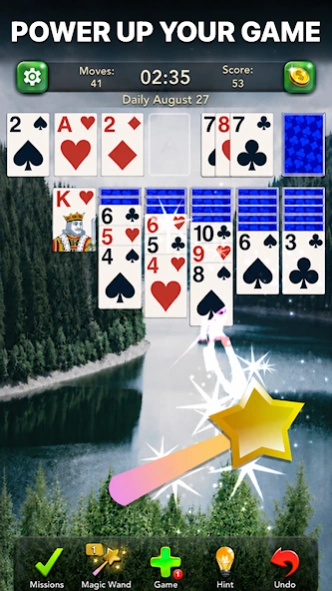

Relax with classic Klondike Solitaire, daily challenges and offline card play.
Take a calm break with classic Klondike Solitaire, also known as Patience. Arrange cards in descending order with alternating colors, build each foundation from Ace to King, and enjoy a familiar card game designed for smooth, satisfying play.
Choose Draw 1 for a relaxed game or Draw 3 for a greater challenge. Play at your own pace, use hints when you need help, and undo moves to try a different strategy.
CLASSIC SOLITAIRE, MADE FOR EVERY DAY
• Traditional Klondike rules with a standard 52-card deck
• Draw 1 and Draw 3 modes
• Daily Challenges with crowns and trophies
• Special events and collectible badges
• Unlimited hints and undo
• Replay deals and improve your winning streak
• Detailed statistics to track your progress
• Offline play — no Wi-Fi needed
PLAY YOUR WAY
Tap or drag cards with smooth controls. Switch between portrait and landscape, use left-handed mode, and choose light or dark mode for comfortable play.
MAKE IT YOURS
Customize card faces, card backs, tables and backgrounds. Pick a scenic table, a playful design or a clean, simple style that keeps every card easy to see.
RELAX OR CHALLENGE YOURSELF
Solitaire is easy to learn and rewarding to master. Enjoy a quiet game during a short break, focus on a tougher deal, or return each day for a new challenge.
If you enjoy classic card games and timeless puzzles, Klondike Solitaire is ready whenever you are.
About Solitaire: Classic Card Game
The company that develops Solitaire: Classic Card Game is Appgeneration. The latest version released by its developer is 1.1.03.
To install Solitaire: Classic Card Game on your Android device, just click the green Continue To App button above to start the installation process. The app is listed on our website since 2026-09-30 and was downloaded 0 times. We have already checked if the download link is safe, however for your own protection we recommend that you scan the downloaded app with your antivirus. Your antivirus may detect the Solitaire: Classic Card Game as malware as malware if the download link to solitaire.classic.card.games.patience.klondike.free is broken.
How to install Solitaire: Classic Card Game on your Android device:
- Click on the Continue To App button on our website. This will redirect you to Google Play.
- Once the Solitaire: Classic Card Game is shown in the Google Play listing of your Android device, you can start its download and installation. Tap on the Install button located below the search bar and to the right of the app icon.
- A pop-up window with the permissions required by Solitaire: Classic Card Game will be shown. Click on Accept to continue the process.
- Solitaire: Classic Card Game will be downloaded onto your device, displaying a progress. Once the download completes, the installation will start and you'll get a notification after the installation is finished.
Program Details
System requirements
Download information
Pricing
Version History
version 1.1.03
posted on 2026-09-30
The most relaxing and addictive Solitaire Card Game. Play and have fun!
